
- There are multiple ways to merge records. If you're unsure how to merge records, click here. The two most common record merging windows are:
- Manage duplicates
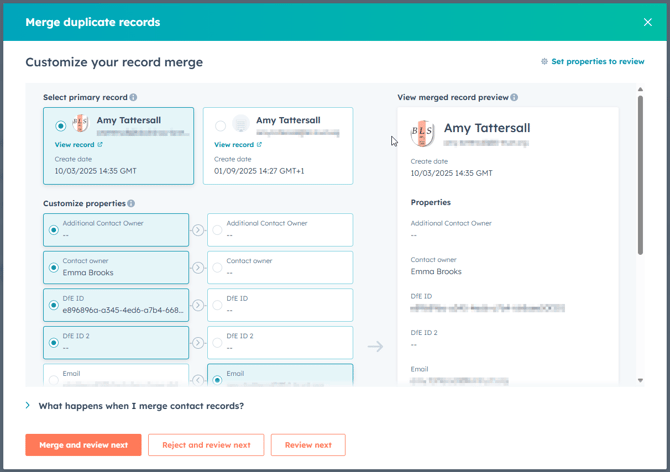
- Merge duplicate records
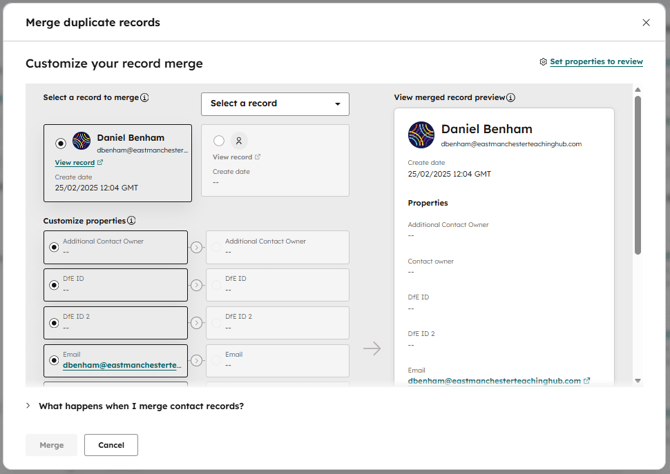
- Manage duplicates
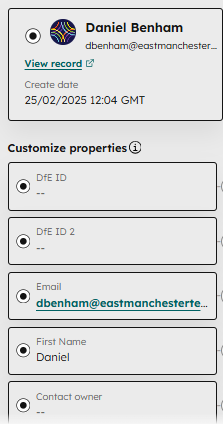
- In the top right corner of the dialogue, choose 'Set properties to review'.
- You'll then be provided with a full list of properties. This list will be different dependent on what type of record it is (Contact, Company, TSH Record, Practitioner Network, or SCITT Trainee).
- Start by selecting 'Deselect all properties'.
- Then tick each property box you would like in your view (you can also use the search bar to navigate).
- Unfortunately, you cannot reorder the properties - they will be displayed in alphabetical order.
- At the bottom of this guide is a recommended list for each type of record.
- Then press 'Save'.
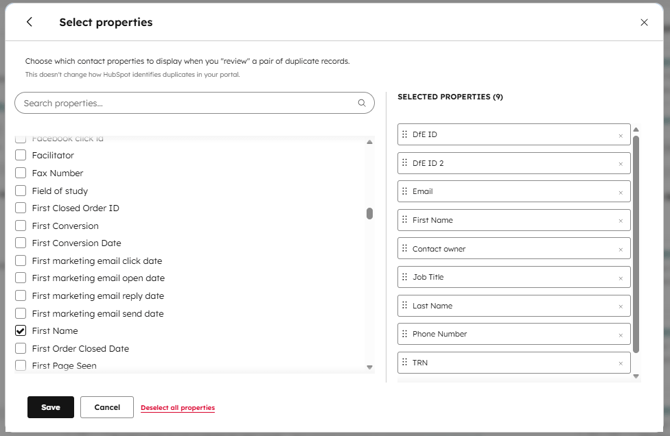
- The list of properties to review will now be updated.
Recommended Properties for each type of record
Contact
- DfE ID
- DfE ID 2
- First Name
- Contact Owner
- Job Title
- Last Name
- Phone Number
- TRN
Company
- EMTSH Phase of Education
- Type of Establishment
- URN
- Website URL
- TSH Area
- Local Authority
- Ofsted Rating
- Phone Number
- Street Address
- Street Address 2
- Street Address 3
- City
- Postal Code
- Company Name
TSH Record
- Type of TSH Record
- ECT Cohort
- NPQ Cohort
- Mentor Cluster Code
- ECT Cluster Code
- Mentor - ECT Category
- Mentor Email Address
- NPQ Mentor Email
- Mentor Schedule Identifier
- ECT Mentor Email
- NPQ Programme
- NPQ Status
- Pipeline
- TSH Record Stage
- TRN
- ECT Status
Practitioner Network
- UID
- Bespoke Agreement
- Practitioner Network pipeline
- Practitioner Network pipeline stage
- PN Subscription Year
- Practitioner Network Subject
SCITT Trainee
- Ashdene Cohort
- Cohort
- MNX Number
- Phase
- Phase (Employment)
- Role
- Role (Employment)
- SCITT Trainee pipeline
- SCITT Trainee pipeline stage
- Subject
- Subject (Employment)
- TRN