
- When you first open HubSpot, it's likely that there have been changes to the records overnight. This is caused by emails arriving into the inbox, and HubSpot's 'Manage Duplicate' tool performing a check.
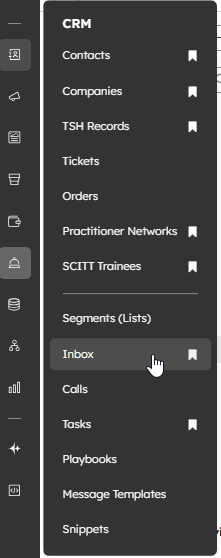
- Head to CRM > Inbox
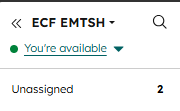
- In the top left corner of the Inbox, you can navigate between the connected accounts. Currently, these are ECF and Info.
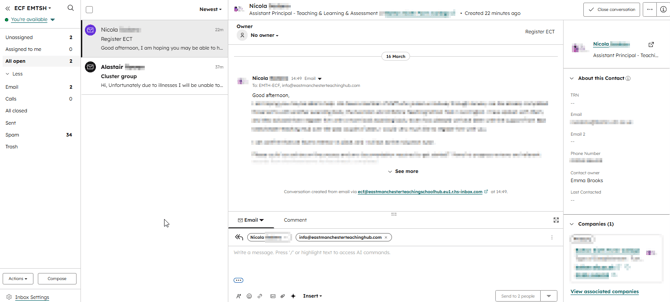
- You'll be presented with the inbox view. This will show a list of emails in the respective inbox, as well as the body of the email, and then details relating to the contact and company records associated to the email. It's worth noting that currently, the inbox took is not utilised by EMTSH in HubSpot. The inboxes are connected purely to automatically bring in new contact and company data, as well as associate certain records.
- Start by removing any spam emails from the inbox. If you're unsure how to do this, click here.
- Once you have removed any spam emails, then you should close all other conversations. This is purely for housekeeping - as we don't use the HubSpot inbox, it's good practice to ensure the inbox doesn't build up with what appears to be unanswered queries.
- Start by selecting all emails - you can do this by clicking the tick box above the email pane.
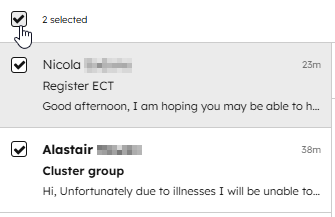
- When all emails are selected, then choose 'Close conversation'.
- A dialogue box at the top of the screen will then let you know that conversations have been updated.

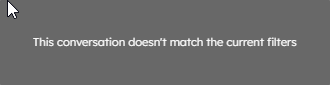
- In the inbox pane, you may also see 'This conversation doesn't match the current filters'. This will happen when an email has been closed but you haven't yet left the inbox view.
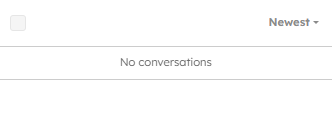
- When you next go in the inbox, the inbox pane should read 'No conversations'.
- Start by selecting all emails - you can do this by clicking the tick box above the email pane.
- Once you have cleared the inbox, you should next Manage Duplicates. If you're unsure how to do this, please click here.
- You're then ready to carry on using HubSpot!